JobbyM's Blog

CSS布局之圣杯布局

什么是圣杯布局

圣杯布局是一种包括页眉、页脚和一个包含两个左右边栏的主内容区的网页布局。其布局遵循以下规则:

  • 有固定宽度侧边栏和自适应内容区域
  • 中间一列应该是最先出现,早于两个侧边栏
  • 不管三列中包含的是什么,都应该具有相同的高度

实现方式

DOM 结构,其中左侧宽度为200px,右侧宽度为150px,中间宽度自适应

1
2
3
4
5
6
7
<div id="header">header</div>
<div id="container">
<div id="center" class="column">center</div>
<div id="left" class="column">left</div>
<div id="right" class="column">right</div>
</div>
<div class="footer">footer</div>

CSS

1
2
3
4
5
6
7
8
9
10
11
12
13
14
15
16
17
18
19
20
21
22
23
24
25
26
27
28
29
30
31
32
33
34
body {
min-width: 550px;
}
#container {
padding-left: 200px;
padding-right: 150px;
}
#container .column {
height: 200px;
position: relative;
float: left;
}
#center {
background-color: #e9e9e9;
width: 100%;
}
#left {
background-color: red;
width: 200px;
margin-left: -100%;
left: -200px;
}
#right {
background-color: blue;
width: 150px;
margin-left: -150px;
right: -150px;
}
#footer {
clear: both;
}
#header, #footer {
background-color: #c9c9c9;
}

实现步骤

第一步:创建框架
首先创建id 为headercontainerfooter 的三个div,同时在container 中添加id 为centerleftright 的三个div

1
2
3
4
5
6
7
<div id="header">header</div>
<div id="container">
<div id="center" class="column">center</div>
<div id="left" class="column">left</div>
<div id="right" class="column">right</div>
</div>
<div id="footer">footer</div>

第二步:使主内容区自适应
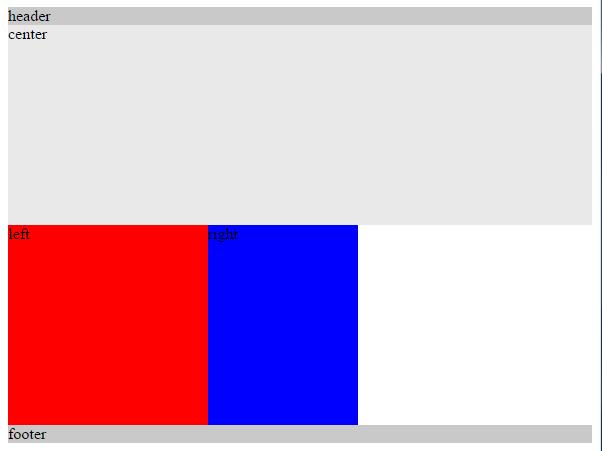
为了使主内容区(center)自适应,设置宽度为100%,同时需要设置centerleftright 为向左浮动,此时leftright 没有在相应的位置上, 同时为footer 设置clear: both 清除浮动带来的影响

1
2
3
4
5
6
7
8
9
10
11
12
13
14
15
16
17
18
19
20
21
22
#container .column {
height: 200px;
float: left;
}
#center {
background-color: #e9e9e9;
width: 100%;
}
#left {
background-color: red;
width: 200px;
}
#right {
background-color: blue;
width: 150px;
}
#footer {
clear: both;
}
#header, #footer {
background-color: #c9c9c9;
}

看上去这样

第三步:设置左侧栏到正确位置
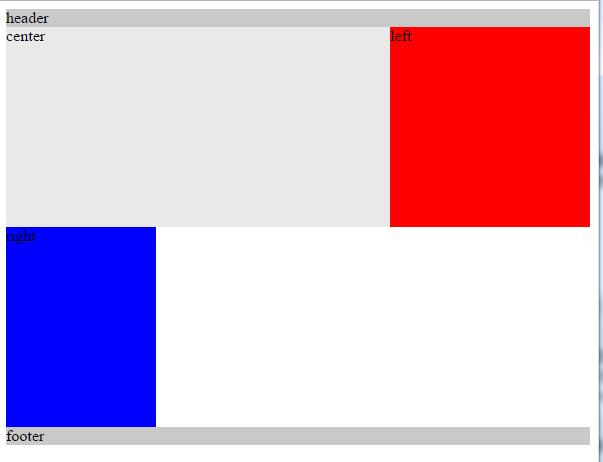
设置左侧栏(left)为负外边距margin: -200px 其宽度为左侧栏自身的宽度width:200px

1
2
3
4
5
#left {
background-color: red;
width: 200px;
margin-left: -200px;
}

看上去这样

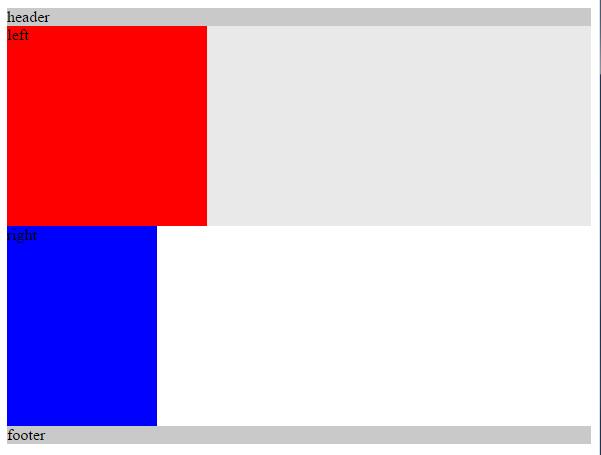
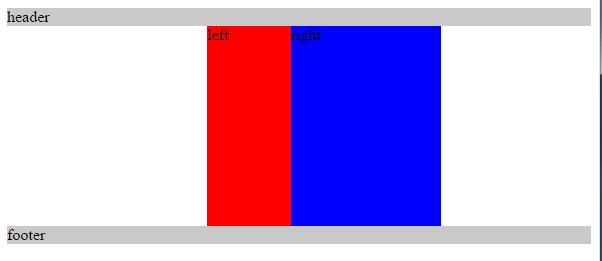
此时leftcenter 重叠(overlay)那么如果设置left 的负外边距margin: -100%; 其值为container 的宽度width: 100%left 就会移动到对应的位置

1
2
3
4
5
#left {
background-color: red;
width: 200px;
margin-left: -100%;
}

看上去这样

第四步:设置右侧栏到正确位置
按照上一步过程,只要设置右侧栏(right)为负外边距margin: -150px 其宽度为右侧栏自身的宽度width:150px,此时右侧栏(right)就处于正确位置了

1
2
3
4
5
#right {
background-color: blue;
width: 150px;
margin-left: -150px;
}

看上去这样

第五步:正确设置中间栏
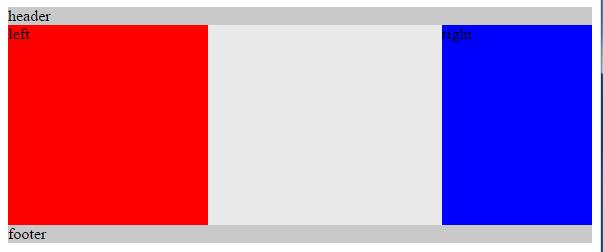
此时中间栏(center)被左右俩栏(leftcenter)覆盖了(overlay),就需要给外层(container)设置内边距(padding )将左右俩栏的位置空出,其大小分别为左右俩栏(leftcenter)各自的宽度

1
2
3
4
#container {
padding-left: 200px;
padding-right: 150px;
}

看上去这样

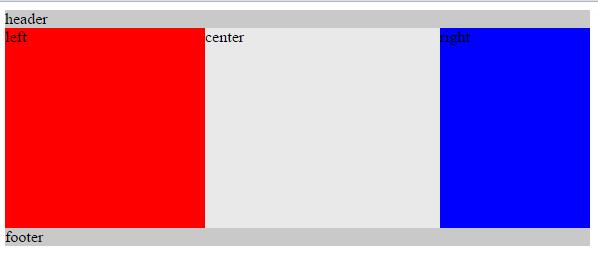
然而此时左右俩栏(leftcenter)也锁了进来,于是需要采取相对定位方法(position: relative;),各自相对于自己把自己挪出去

1
2
3
4
5
6
7
8
9
10
11
12
13
14
15
#container .column {
position: relative;
}
#left {
background-color: red;
width: 200px;
margin-left: -100%;
left: -200px;
}
#right {
background-color: blue;
width: 150px;
margin-left: -150px;
right: -150px;
}

看上去这样

第六步:缩放窗口
对窗口进行搜索,当center 的宽度width 小于left 的宽度时,布局将会出现问题,为此需要设置body 的最小宽度(min-width)为2 倍的左侧栏(left)的宽度(width)加上右侧栏(right)的宽度(width)。

1
2
3
body {
min-width: 550px;
}

参考文档

  1. 圣杯布局的实现过程
  2. 圣杯布局小结
  3. In Search Of Holy Grail
  4. 关于圣杯布局
  5. CSS Grid 构建圣杯布局